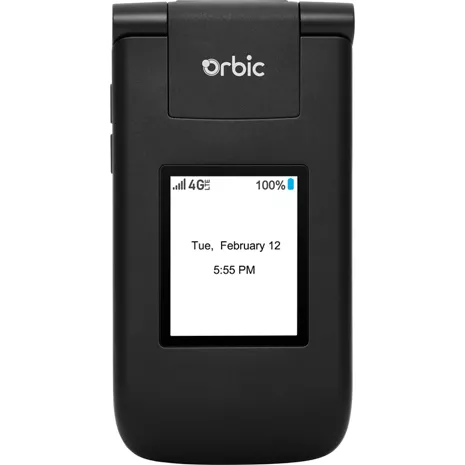
Orbic Journey V Prepaid
1.9
320 indefinido
10
Please read before considering purchase! (REALLY IMPORTANT)
Tayyib The Goat . 3 months
Worst phone
Jess . 1 year
Orbic Product Team - 1 year
Hi Jess - thank you for taking the time to share your thoughts with us. It's crucial that we hear your feedback, and we are committed to addressing any concerns you may have. Please let us know the best way to contact you or write us directly at info@orbic.us to help with a solution. Best regards, O.
Llamadas nítidas.
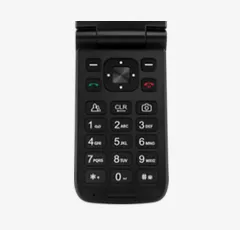
Rápido y conveniente.
Más potencia.
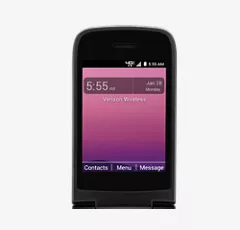
Pantalla grande.
Llamadas nítidas.
Rápido y conveniente.
Diseño
Profundidad
.71 in.
Ancho
2.17 pulgadas
Peso
4.20 onzas
Altura
4.13 pulgadas
Accesibilidad
Auditivo
Compatibilidad con dispositivos auditivos, texto en tiempo real, amplificador de sonido, notificaciones sonoras
Movilidad/cognitivo
Accesibilidad con interruptores
Compatible con equipos de asistencia auditiva
M3/T4
Visual
Ampliación, Texto y visualización, TalkBack
Batería
Tiempo máximo de inactividad
9.7 días
Tiempo de uso
7 horas
red
SAR
0.7W/kg
Cámara
Cámara
2 MP
Rendimiento
Almacenamiento
1GB RAM+ 8GB ROM
Procesador
MSM8909, Quad-cores con 1.1 GHz
Pantalla
Pantalla
2.8" TFT QVGA Resolución/PPI: (320*240), 142.8 PPI
ORB2210LBVZ
- Orbic Journey V
- Tarjeta SIM preinstalada 4FF
- Batería de iones de litio de 1400 mAh, extraíble
- Adaptador de pared/Cable USB/Conector USB: 5 V, 700 mA/Cable USB/Micro USB
- Guía de consulta rápida
- Información de seguridad importante para el consumidor
- Folleto de seguridad y garantía del producto
Orbic Journey V Prepaid undefined
1.9
320 undefined
10
Please read before considering purchase! (REALLY IMPORTANT)
Tayyib The Goat . 3 months
Worst phone
Jess . 1 year
Orbic Product Team - 1 year
Hi Jess - thank you for taking the time to share your thoughts with us. It's crucial that we hear your feedback, and we are committed to addressing any concerns you may have. Please let us know the best way to contact you or write us directly at info@orbic.us to help with a solution. Best regards, O.
It actually works, but is not a great phone.
Orbic User . 1 year
Orbic Product Team - 1 year
Hello Orbic User,Thank you so much for sharing your detailed and thoughtful review! Feedback like yours is invaluable to us as we strive to improve our future products. We're glad to hear from you and appreciate your time.
Thanks again and have a wonderful day!
Best regards,
The Orbic Team
worst phone ever had!
Nunya . 1 year
Orbic Product Team - 1 year
Hello Nunya, we appreciate your feedback and value the opportunity to address your concerns. Our aim is to continuously improve our products and provide the best possible user experience. We encourage you to reach out to us sending an email to info@orbic.us or calling directly to our customer service agents at 1-877-872-4555.
Cameron Park Office
1 year
Do not buy.
Beulah . 1 year
Its a basic phone but great at what its phone
Aircrafty1 . 1 year
Junk phone
Carol . 1 year
Average
DebShir . 1 year
Orbic Product Team - 1 year
Hello DebShir - we would like to express our gratitude for your feedback and value the opportunity to address your concerns, which we take very seriously. Our ultimate goal is to continually enhance our mobile connected solutions and deliver the optimal user experience. If you have further questions, please reach out to our customer service team at info@orbic.us. Have a great day!
Crappy phone
Jade486 . 1 year
Orbic Journey V Prepaid indefinido
Battery . Sep 5, 2025
How can I check the battery health
To check your Orbic Journey V's battery health, go to Settings, then scroll to and tap About phone > Battery to view battery information. While the Orbic Journey V's Android version may not have a built-in battery health percentage as found on some devices, this section should provide current usage, capacity, and cycle count data. If your battery health is a major concern, consider physical inspection for swelling or excessive heat, which can indicate a need for replacement. -Sarge
Ginger . Jul 18, 2025
How do you get the wallpaper on model RC2200L to display on front screen too.
To adjust the display settings on the Verizon RC2200L (Orbic Journey L), navigate to Menu > Settings > Display Settings. Within Display Settings, you can adjust brightness, wallpaper (preloaded or from the gallery), font size, and the main clock display. https://www.verizon.com/basic-phones/orbic-journey-v/ -Natasha
Ginger . Jul 18, 2025
Update the front screen to a date a time vs a contact name that is there.
eileen . Feb 12, 2025
how can I print a copy of my phone directory
To print a copy of your Verizon phone directory, log in to your "My Verizon" account online, access the "Cloud" section, and then select the option to export or print your contacts. You can also choose to download your contacts as a file and print them from your computer. -Will