Kyocera DuraXV Extreme+ Prepaid
Reseñas
4.1
576 reseñas
68% de las reseñas recomiendan este producto.
Fantastic device!
Matt S . 2 days ago
Extreme+
9 days ago
- Clasificación de resistencia al agua y al polvo IP68 de hasta 30 minutos en aguas de hasta 6.5 pies de profundidad. Resistente a caídas de hasta 1.5 m sobre concreto.
- SOS y PTT requieren suscripción.

Captura lo que es importante.
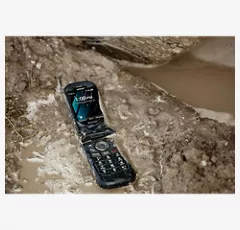
Diseñado para entornos demandantes.
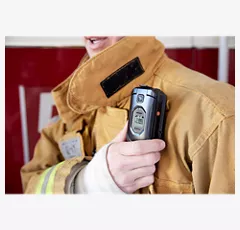
Fácil de usar.
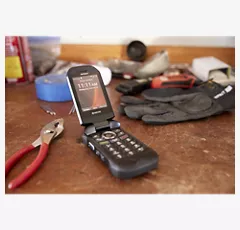
Compacto y confiable.

Comunicación confiable.
Captura lo que es importante.
Diseñado para entornos demandantes.
Diseño
Profundidad
1.07 pulgadas
Ancho
2.22 pulgadas
Largo
4.36 pulgadas
Altura
4.36 pulgadas
Puerto de carga
USB tipo C / USB de alta velocidad 2.0
Colores
Negro
Certificaciones ecológicas
Diseño ecológico
Peso
6.8 onzas
Materiales notables
Flip
Accesibilidad
Auditivo
Lectura, velocidad de voz y tono de voz, alertas persistentes, subtítulos, audio mono, balance de sonido, texto en tiempo real, vibrar para llamadas/alertas/alarmas, control de volumen, flash LED para alertas
Movilidad
Comando de voz, vibrar para llamadas/alertas/alarmas, intensidad de vibración, alertas persistentes, teclas físicas, teclas programables
Compatible con equipos de asistencia auditiva
M4/T4
Visual
Lectura, velocidad de voz y tono de voz, tamaño de fuente, inversión de color, corrección de color, vibrar para llamadas/alertas/alarmas, intensidad de vibración, nivel de brillo, golpecitos táctiles en el número de tecla "5" del teclado, guía del usuario de Braille disponible a solicitud
Batería
Tiempo máximo de inactividad
420 horas
mAh (por hora)
1770 mAh (extraíble)
Tiempo de uso
56.08 horas
red
4G
UMTS: B5, B2, B1 (850, 1900, 2100MHz) LTE, Categoría 4: B12, B13, B5, B4, B2 (700a, 700c, 850, 1700, 1900MHz)
Wi-Fi
Sí, MT6631N 802.11 a/b/g/n/r/k/ac (2.4 y 5 GHz)
SAR
Cabeza: 0.75 W/kg Cuerpo: 1.13 W/kg (a 0.59 pulgadas, 1.5 cm) Hotspot: 1.16 W/kg
Red de roaming y global
Sí
FCC ID
V65E4811
Dispositivo World
No
Cámara
Cámara trasera
5MP (no disponible para la versión NC)
Video
Sí, 720p, 480p, 240p a 30 cps (no disponible para la versión NC)
Rendimiento
Bluetooth
BT 5.1 +LE/EDR
Procesador
MediaTek MT6761V/WB 2.0 GHz x 3 núcleos A53
SO
Android Q (AOSP)
Memoria expandible
Sí, microSDXC hasta 512 GB
Memoria/almacenamiento
2 GB/16 GB
Hotspot
Sí (2.4 GHz), <10 devices>
Pantalla
Tamaño de pantalla
Principal: 2.6 pulgadas | Sub: 1.08 pulgadas
Frecuencia de actualización
Principal: 60 Hz | Sub: 60 Hz
Tipo de pantalla
Principal: TFT LCD | Sub: OLED monocromático
Relación de aspecto
Principal: 320 x 240 (4:3) | Sub: 102 x 90
SKU Nº
SKU Nº
KYOE4811
En la caja
- DuraXV Extreme+
- Tarjeta SIM preinstalada
- Adaptador de CA
- Cable USB tipo C
- Batería de iones de litio (desmontable)
- Folletos
- Clasificación de resistencia al agua y al polvo IP68 de hasta 30 minutos en aguas de hasta 6.5 pies de profundidad. Resistente a caídas de hasta 1.5 m sobre concreto.
- SOS y PTT requieren suscripción.
Kyocera DuraXV Extreme+ Prepaid Reviews
4.1
576 reviews
68% of reviewers recommend this product.
Fantastic device!
Matt S . 2 days ago
Extreme+
9 days ago
Newer Version BUT Not As Friendly To Use...
Bill A . 10 days ago
REPLACEMENT PHONE
Oldman . 21 days ago
Kyocera Customer Support - 1 day ago
Hello! The issue you described may have been a symptom of a problematic or aged battery rather than a defective device – so please be aware that we offer Kyocera genuine replacement batteries at solutions.kyoceramobile.com. Regardless, we’re glad your replacement device is operating as expected! Thank you so much for leaving DuraXV Extreme+ a 5-star review.
Alex . 1 month ago
Kyocera Customer Support - 29 days ago
Hey Alex!Thanks for leaving this 4-star review despite the problem you’re seeing. Let’s troubleshoot and rectify this issue! First, verify your device’s Group Messaging setting:
1. Open the Messaging app
2. Select Options
3. Select Settings
4. Ensure Group Messaging is ON
Second, messaging conflicts can occur after switching devices. Recipients or senders using an OLD conversation thread (created or used with a previous phone) may encounter message failures. Be sure to verify that any important texts/images are saved before proceeding. Then request all members of the messaging group to delete the old thread and create a new conversation to ensure proper text routing.
-Elijah F.
Been Using Same Phone Since 2020
Johnny Utah . 1 month ago
Kyocera Customer Support - 29 days ago
Hey Johnny!We’re so glad to hear our rugged, reliable DuraXV Extreme+ has withstood everything you’ve put it through over the years – and that you haven’t experienced any issues with it, even after dropping it 50 times! “It just works” is a perfect way to describe DuraXV Extreme+. We truly appreciate you taking the time to write this 5-star review. Please reach out to us anytime on Facebook (@Kyocera Mobile). We’d be happy to chat!
-Elijah F.
Bullet proof
Phil N . 2 months ago
Kyocera Customer Support - 1 month ago
That's a fantastic story! We're glad to hear that your DuraXV Extreme+ still worked after being washed and could call out with a simple dry-off. Thanks for also referencing the availability of our largest font, MagniFont, for visually impaired users. We appreciate this 5-star review and your dedication to our line of DuraXV ultra-rugged flip phones!
My new flip phone
Tom D . 2 months ago
Kyocera Customer Support - 1 month ago
Thank you for your feedback about the ultra-rugged DuraXV Extreme+. We hope you get used to the keys after using them a little. If you want the screen to stay lit for a longer time, you can change the setting at: Settings > Display settings > Display backlight. You can set it to as long as 30 minutes. However, the brighter and the longer the dislay is on, the quicker it will drain the battery, so keep that in mind. There are a number of other factors that impact the battery life. If you are not using Wi-Fi or Bluetooth, make sure to turn those off. If you are not using Data for things like email or browsing, then turn off Mobile Data Access. Also, be aware that the strength of the mobile network in your area has a big impact on battery life. If the phone has to continually search for better coverage, it will run down the battery significantly faster. Contact our customer support team at 1-800-349-4478, or through our support page kyoceramobile.com/contactus/support/ to review how you are using your phone and we may be able to provide more tips for extending the battery life.
Flip phone
NLCS . 2 months ago
Kyocera Customer Support - 1 month ago
Thank you for the positive remarks regarding DuraXV Extreme+'s screen and build quality. We're happy your new phone meets your needs, and we appreciate your 4-star review!
New phone
Charles . 3 months ago
Kyocera Customer Support - 3 months ago
We're glad that you like your new DuraXV Extreme+. There are a number of ways to transfer contacts from one phone to another. One way that works on a large variety of phones is to transfer them via Bluetooth. Another popular method is to export the contacts from the old phone into a VCF file, copy that file onto the new phone, and import the contacts from the VCF file into the new phone. If you would like any help transferring your contacts, please contact our customer support team at 1-800-349-4478, or through our support page kyoceramobile.com/contactus/support/
Preguntas frecuentes sobre Kyocera DuraXV Extreme+ Prepaid
Diane . Dec 31, 2025
Does this phone announce who is calling?
Yes, the Kyocera DuraXV Extreme+ has a "Caller ID Readout" feature that announces who's calling if the number is in your contacts. -Red
Pictures . Dec 31, 2025
Can you take pictures with this phone?
Yes, it can take pictures. ~Freddy
Mrs A . Dec 26, 2025
What navigation is supported on the phone my 3G flip phone is no longer compatible it uses VZ navigatior
Navigation is not supported on DuraXV Extreme+. Google Maps and VZ Navigator will not run on this device.
Hello, please contact us here: https://espanol.verizon.com/support/contact-us/#mobile so we can assist you with your concern. -Cait
mark . Dec 26, 2025
what is the warranty?
Manufacturer Kyocera provides a 2-year warranty on their devices, emphasizing quality. Verizon Support (First 30 Days): If purchased new from Verizon, you get a new device replacement within 30 days. ~Joe M
Denise Edie . Dec 24, 2025
How much to pay for a new one?
Retail cost $250.00.-Cryssie
Renee . Dec 22, 2025
Does this phone have talk to text
DuraXV Extreme+ does not have built-in support for talk-to-text. However, some users have reported in online forums that they have been able to sideload the "Voice Access" app by Google and successfully used that for talk-to-text.
This phone does not offer talk to text. It does have limited voice activated dialing. Learn more here: https://espanol.verizon.com/support/knowledge-base-231053/ -Joseph
drew . Dec 20, 2025
does this Kyocera DuraXV Extreme+ have bluetooth?
Yes, KYOCERA DuraXV Extreme has Bluetooth. https://espanol.verizon.com/support/knowledge-base-231032/ Joe M
KATHY . Dec 19, 2025
HOW DO I FORWARD A MESSAGE FORM SOMEONE TO SOMEONE ELS
DuraXV Extreme+ doesn't support forwarding all of your text messages to another number, but it does allow you to forward a single message to someone else. To do this, find and select the message in the Message app. Then press the Right Soft Key labeled Options and select Forward.
The Kyocera DuraXV Extreme+ does not support forwarding text messages. -John
Larry . Dec 17, 2025
I currently have a E6810, does this phone have all the same functions?
The E6810 is a smartphone and would have addtional functions that the DuraX does not. -Toni
Senior . Dec 15, 2025
Is the phone senior friendly
Yes, it features include a simple flip design, loud audio, a large display with adjustable fonts, a durable build , long battery life, and a dedicated SOS button.