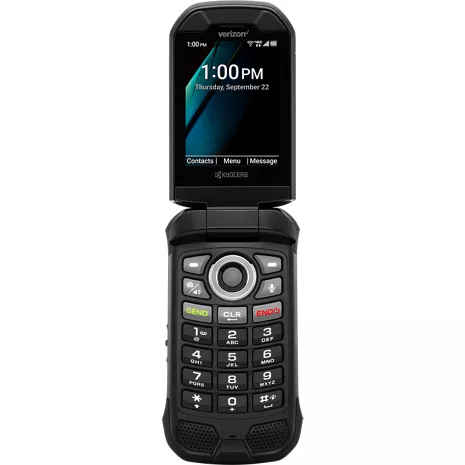
Kyocera DuraXV Extreme+ Prepaid
4.1
592 indefinido
68
DuraXV Extreme(+) texting UI is shockingly bad — any fix planned?
Chrizthomas2131 . 1 month
Kyocera Customer Support - 20 days
Thank you for your feedback about the messaging experience on DuraXV Extreme+. We appreciate customer feedback like this and continually work to improve our products.
Setup and Function
Gerrald . 1 month
Kyocera Customer Support - 1 month
We’re glad to hear DuraXV Extreme+ proved easy to set up, simple to use, and continues to deliver great battery life! But it’s not often we’re told that DuraXV Extreme+’s 100dB+ speakers could be louder; please ensure the source audio's volume hasn't been compromised. We appreciate your 4-star review. Feel free to contact us on Facebook (@Kyocera Mobile) anytime with other comments, questions, or concerns!-Elijah F.
- Clasificación de resistencia al agua y al polvo IP68 de hasta 30 minutos en aguas de hasta 6.5 pies de profundidad. Resistente a caídas de hasta 1.5 m sobre concreto.
- SOS y PTT requieren suscripción.
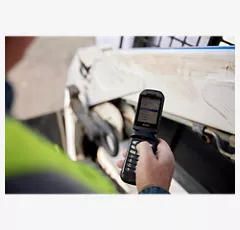
Captura lo que es importante.
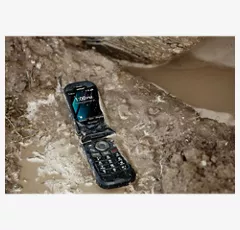
Diseñado para entornos demandantes.
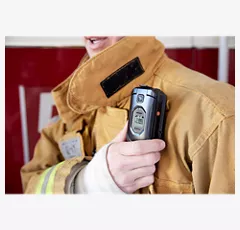
Fácil de usar.

Compacto y confiable.
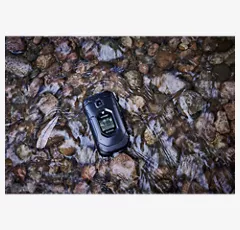
Comunicación confiable.
Captura lo que es importante.
Diseñado para entornos demandantes.
Diseño
Profundidad
1.07 pulgadas
Ancho
2.22 pulgadas
Largo
4.36 pulgadas
Altura
4.36 pulgadas
Puerto de carga
USB tipo C / USB de alta velocidad 2.0
Colores
Negro
Certificaciones ecológicas
Diseño ecológico
Peso
6.8 onzas
Materiales notables
Flip
Accesibilidad
Auditivo
Lectura, velocidad de voz y tono de voz, alertas persistentes, subtítulos, audio mono, balance de sonido, texto en tiempo real, vibrar para llamadas/alertas/alarmas, control de volumen, flash LED para alertas
Movilidad
Comando de voz, vibrar para llamadas/alertas/alarmas, intensidad de vibración, alertas persistentes, teclas físicas, teclas programables
Compatible con equipos de asistencia auditiva
M4/T4
Visual
Lectura, velocidad de voz y tono de voz, tamaño de fuente, inversión de color, corrección de color, vibrar para llamadas/alertas/alarmas, intensidad de vibración, nivel de brillo, golpecitos táctiles en el número de tecla "5" del teclado, guía del usuario de Braille disponible a solicitud
Batería
Tiempo máximo de inactividad
420 horas
mAh (por hora)
1770 mAh (extraíble)
Tiempo de uso
56.08 horas
red
4G
UMTS: B5, B2, B1 (850, 1900, 2100MHz) LTE, Categoría 4: B12, B13, B5, B4, B2 (700a, 700c, 850, 1700, 1900MHz)
Wi-Fi
Sí, MT6631N 802.11 a/b/g/n/r/k/ac (2.4 y 5 GHz)
SAR
Cabeza: 0.75 W/kg Cuerpo: 1.13 W/kg (a 0.59 pulgadas, 1.5 cm) Hotspot: 1.16 W/kg
Red de roaming y global
Sí
FCC ID
V65E4811
Dispositivo World
No
Cámara
Cámara trasera
5MP (no disponible para la versión NC)
Video
Sí, 720p, 480p, 240p a 30 cps (no disponible para la versión NC)
Rendimiento
Bluetooth
BT 5.1 +LE/EDR
Procesador
MediaTek MT6761V/WB 2.0 GHz x 3 núcleos A53
SO
Android Q (AOSP)
Memoria expandible
Sí, microSDXC hasta 512 GB
Memoria/almacenamiento
2 GB/16 GB
Hotspot
Sí (2.4 GHz), <10 devices>
Pantalla
Tamaño de pantalla
Principal: 2.6 pulgadas | Sub: 1.08 pulgadas
Frecuencia de actualización
Principal: 60 Hz | Sub: 60 Hz
Tipo de pantalla
Principal: TFT LCD | Sub: OLED monocromático
Relación de aspecto
Principal: 320 x 240 (4:3) | Sub: 102 x 90
KYOE4811
- DuraXV Extreme+
- Tarjeta SIM preinstalada
- Adaptador de CA
- Cable USB tipo C
- Batería de iones de litio (desmontable)
- Folletos
- Clasificación de resistencia al agua y al polvo IP68 de hasta 30 minutos en aguas de hasta 6.5 pies de profundidad. Resistente a caídas de hasta 1.5 m sobre concreto.
- SOS y PTT requieren suscripción.
Kyocera DuraXV Extreme+ Prepaid undefined
4.1
592 undefined
68
DuraXV Extreme(+) texting UI is shockingly bad — any fix planned?
Chrizthomas2131 . 1 month
Kyocera Customer Support - 20 days
Thank you for your feedback about the messaging experience on DuraXV Extreme+. We appreciate customer feedback like this and continually work to improve our products.
Setup and Function
Gerrald . 1 month
Kyocera Customer Support - 1 month
We’re glad to hear DuraXV Extreme+ proved easy to set up, simple to use, and continues to deliver great battery life! But it’s not often we’re told that DuraXV Extreme+’s 100dB+ speakers could be louder; please ensure the source audio's volume hasn't been compromised. We appreciate your 4-star review. Feel free to contact us on Facebook (@Kyocera Mobile) anytime with other comments, questions, or concerns!-Elijah F.
Duraxv
2 months
Kyocera Customer Support - 1 month
We're sorry that you are experiencing poor signal in your area. That will lead to high battery usage as you have noticed. If you suspect that there is something wrong with your phone, you can contact our customer support team at 1-800-349-4478, or through our support page kyoceramobile.com/contactus/support/.
Do you need a tough little phone?
A repeat customer . 2 months
Kyocera Customer Support - 2 months
It’s great to hear Kyocera DuraXV flip phones have made a real difference in your husband’s workday over the last decade, while surviving the occasional ditch or two! We truly appreciate your family’s loyalty and are happy to continue keeping hard workers like your husband connected in the toughest conditions.-Elijah F.
Fantastic device!
Matt S . 2 months
Kyocera Customer Support - 2 months
Thanks for choosing Kyocera DuraXV Extreme+ for your digital detox journey! We’re glad to hear our ultra-rugged flip phone has helped you reduce screen time while delivering excellent battery life, signal strength, call quality, and durability! We appreciate your 5-star review and honest feedback regarding Prediction mode. We’ll be sure to pass along your comments!-Elijah F.
Extreme+
3 months
Kyocera Customer Support - 2 months
We’re glad DuraXV Extreme+’s battery life meets or exceeds your expectations! Thank you for taking the time to write this 5-star review. Please reach out to us on Facebook (@Kyocera Mobile) if you have any questions about your device, accessories, or Kyocera services – we’re happy to help!-Elijah F.
Newer Version BUT Not As Friendly To Use...
Bill A . 3 months
Kyocera Customer Support - 2 months
Hi Bill. We know T9Word was loved by many, but unfortunately, it was not licensable by the developer. Our latest custom Prediction typing software is a significant step forward from its original iteration; however, we are aware that it lacks certain English-language honorifics and abbreviations. I encourage you to add commonly used words to your “My Words” dictionary. This way, typing 6771 will suggest “Mrs.” for example.1. Open a Message thread or start a new Message
2. Press the left soft key labeled “Prediction” or “Abc”
3. Find and select “0. Text Options”
4. Select “4. My Words”
5. Press Menu, then Add
6. Use “Abc” mode to type “Mrs.”
7. Press “Save”
8. Reply to a Message, or start a new one; then type 6771 for “Mrs.”
Please reach out to us on Facebook (@Kyocera Mobile) if you have any questions or additional feedback!
-Elijah F.
REPLACEMENT PHONE
Oldman . 3 months
Kyocera Customer Support - 2 months
Hello! The issue you described may have been a symptom of a problematic or aged battery rather than a defective device – so please be aware that we offer Kyocera genuine replacement batteries at solutions.kyoceramobile.com. Regardless, we’re glad your replacement device is operating as expected! Thank you so much for leaving DuraXV Extreme+ a 5-star review.
Alex . 4 months
Kyocera Customer Support - 3 months
Hey Alex!Thanks for leaving this 4-star review despite the problem you’re seeing. Let’s troubleshoot and rectify this issue! First, verify your device’s Group Messaging setting:
1. Open the Messaging app
2. Select Options
3. Select Settings
4. Ensure Group Messaging is ON
Second, messaging conflicts can occur after switching devices. Recipients or senders using an OLD conversation thread (created or used with a previous phone) may encounter message failures. Be sure to verify that any important texts/images are saved before proceeding. Then request all members of the messaging group to delete the old thread and create a new conversation to ensure proper text routing.
-Elijah F.
Been Using Same Phone Since 2020
Johnny Utah . 4 months
Kyocera Customer Support - 3 months
Hey Johnny!We’re so glad to hear our rugged, reliable DuraXV Extreme+ has withstood everything you’ve put it through over the years – and that you haven’t experienced any issues with it, even after dropping it 50 times! “It just works” is a perfect way to describe DuraXV Extreme+. We truly appreciate you taking the time to write this 5-star review. Please reach out to us anytime on Facebook (@Kyocera Mobile). We’d be happy to chat!
-Elijah F.
Kyocera DuraXV Extreme+ Prepaid indefinido
Brooke . Mar 13, 2026
Does it have built in games?
Susan . Feb 22, 2026
Will this phone save photos
Yes, DuraXV Extreme+ has a camera and can save photos. It can also receive picture messages and you can save the photos and view them in the Gallery.
Karen . Feb 20, 2026
Can I move my contacts from one verizon flip to this one?
One easy method is to transfer the contacts by sending them via Bluetooth. You should be able to send many contacts at a time with this method. Or you may be able to export the contacts to a .VCF file and send/copy the file to your DuraXV Extreme+, then open Contacts and import the file. For more personalized support, contact our customer support team at 1-800-349-4478, or through our support page kyoceramobile.com/contactus/support/ and they will be happy to help you.