Google Pixel Watch Prepaid
3.4
134 indefinido
46
Water resistant false advertisement
nerdbird . 7 months
Google Team - 7 months
Hey there, nerdbird. We hear your concerns regarding water resistance on the Pixel Watch. While not waterproof, it is water-resistant up to 50 meters and splash-proof, though water resistance is not permanent — it diminishes or is lost over time due to normal wear and tear, repairs, disassembly, or damage. We’d be happy look into this further and find you a resolution — when you get a second, reach out to us here: https://support.google.com/googlepixelwatch/gethelp?sjid=1168929876280557452-NC
First smartwatch
Gwatch1 . 8 months
Google Team - 8 months
Hi there, Gwatch1. Sorry your time with the Pixel Watch 1 wasn’t as long as expected — we get how frustrating that can be. We’d be happy to investigate what may have happened and get a resolution for you. When you have a moment, don’t hesitate to reach out to us here: https://support.google.com/googlepixelwatch/gethelp?sjid=1168929876280557452-NC
- Es posible que algunas funciones requieran una cuenta y aplicación móvil de Fitbit.
- Las aplicaciones y servicios de Google no están disponibles en todos los países ni en todos los idiomas. Pueden aplicarse tarifas de datos.
- Las opciones de correa y caja pueden variar según la región y la tienda minorista. Las correas accesorias se venden por separado.
- La aplicación ECG solo está disponible en ciertos países. No está destinada a personas menores de 22 años. Visita g.co/pixelwatch/ecg para obtener más información.
- Pueden aplicarse tarifas de datos. Puede requerir suscripciones. Requiere plan de servicio móvil 4G LTE compatible (se vende por separado). El Google Pixel Watch y el teléfono emparejado deben usar la red del mismo proveedor. Comunícate con el proveedor para obtener detalles completos. Visita g.co/pixelwatch/networkinfo para obtener más información. El Asistente de Google y algunas funciones relacionadas no están disponibles en todos los idiomas. Visita g.co/assistant/languages para consultar actualizaciones de disponibilidad de idiomas.
- Emergencia SOS requiere ubicación activada y servicio 4G LTE o una conexión a internet. Emergencia SOS depende de la conectividad de la red y de otros factores, y podría no ser confiable para comunicaciones de emergencia o no estar disponible en todas las áreas o idiomas. El marcado automático a los servicios de emergencia no está disponible en todos los países. Visita g.co/pixelwatch/personalsafety para obtener más información.
- Los teléfonos y los audífonos se venden por separado. Para la función Fast Pair se debe activar la ubicación.
- Requiere dispositivos Nest compatibles (se venden por separado).
- El Google Pixel Watch está diseñado para cumplir con una calificación de protección contra el agua de 5 ATM conforme la norma ISO 22810:2010 al momento de fabricarse, pero no es a prueba de agua. La resistencia al agua no es una condición permanente y disminuye o se pierde con el paso del tiempo debido al uso y desgaste normales, reparaciones, desmontajes o daños. La caída del Google Pixel Watch puede resultar en la pérdida de la resistencia al agua. El Google Pixel Watch está diseñado para usarse en agua poco profunda y no se debe usar para actividades que se practiquen a alta velocidad o alta temperatura. Algunas correas del Google Pixel Watch no son resistentes al agua. Visita g.co/pixelwatch/water para conocer los detalles.
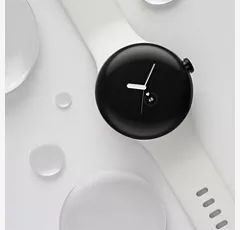
Resistente a rayones y salpicaduras.
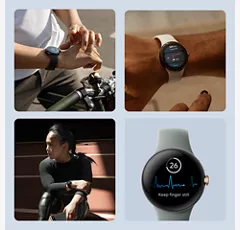
Ten una vida más saludable con Fitbit.
Deja tu teléfono en casa con 4G LTE.
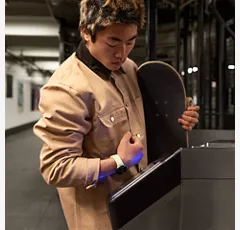
Lo mejor de Google, siempre a mano.
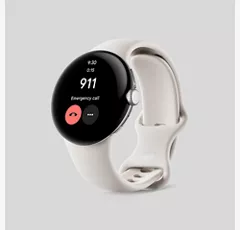
Siéntete protegido con Emergencia SOS.
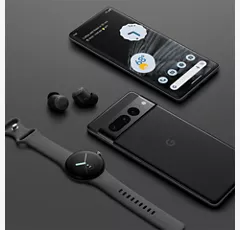
Todos tus dispositivos perfectamente sincronizados.
Resistente a rayones y salpicaduras.
Ten una vida más saludable con Fitbit.
Diseño
Correas para relojes
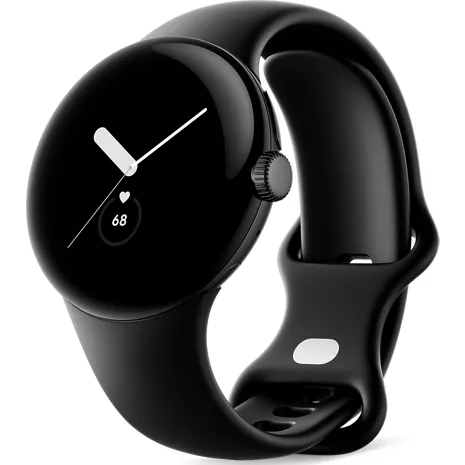
Correa activa: incluye tamaños de correa pequeña y grande. El tamaño pequeño se ajusta a muñecas de 130 a 175 mm de circunferencia. El tamaño grande se ajusta a muñecas de 165 a 210 mm de circunferencia.
Acabados
Caja: 80% de acero inoxidable reciclado | Correa deportiva perforada: fluoroelastómero con revestimiento suave al tacto
Colores
Caja de acero inoxidable negro mate/Correa activa obsidiana | Caja de acero inoxidable pulido color plata/Correa activa carbón | Caja de acero inoxidable pulido color plata/Correa activa tiza | Caja de acero inoxidable color oro champaña/Correa activa verde liquen
Altura
0.48 pulgadas
Materiales notables
Caja: 80% de acero inoxidable reciclado | Correa deportiva perforada: fluoroelastómero con revestimiento suave al tacto
Ancho
1.61 pulgadas
Peso
1.27 onzas
Puerto de carga
Cable para cargar magnético USB-C®
Accesibilidad
General
Suite de accesibilidad Android
Auditivo
Compatibilidad con dispositivos auditivos, texto en tiempo real, notificaciones sonoras
Asistente de voz
Asistente de Google, Gemini
Movilidad/cognitivo
Accesibilidad con interruptores
Visual
Ampliación, Texto y visualización, TalkBack, Seleccionar para hablar
red
4G
2,4,5,12,13,66
Wi-Fi
Wi-Fi 802.11 b/g/n 2.4 GHz
Elegible para Number Share
Sí
SAR
1.6 W/kg
FCC ID
GKRGWT9R
Dispositivo World
No
Batería
mAh (por hora)
294 mAh (no extraíble)
Tiempo de uso
20.14 horas
Rendimiento
Procesador
Exynos 9110 SoC | Coprocesador Cortex M33
SO
Android 12
Memoria/almacenamiento
32 GB de eMMC FLASH | 2 GB de SDRAM
Pantalla
Tipo
Corning® Gorilla® Glass 3D personalizado | Pantalla AMOLED de 2 ppi con color DCI-P3
Tamaño
1.61 pulg. / 41 mm
GA03311-US
- Google Pixel Watch
- Correa activa (correa pequeña y grande)
- Cable para cargar magnético USB-C®
- Guía de inicio rápido
- Es posible que algunas funciones requieran una cuenta y aplicación móvil de Fitbit.
- Las aplicaciones y servicios de Google no están disponibles en todos los países ni en todos los idiomas. Pueden aplicarse tarifas de datos.
- Las opciones de correa y caja pueden variar según la región y la tienda minorista. Las correas accesorias se venden por separado.
- La aplicación ECG solo está disponible en ciertos países. No está destinada a personas menores de 22 años. Visita g.co/pixelwatch/ecg para obtener más información.
- Pueden aplicarse tarifas de datos. Puede requerir suscripciones. Requiere plan de servicio móvil 4G LTE compatible (se vende por separado). El Google Pixel Watch y el teléfono emparejado deben usar la red del mismo proveedor. Comunícate con el proveedor para obtener detalles completos. Visita g.co/pixelwatch/networkinfo para obtener más información. El Asistente de Google y algunas funciones relacionadas no están disponibles en todos los idiomas. Visita g.co/assistant/languages para consultar actualizaciones de disponibilidad de idiomas.
- Emergencia SOS requiere ubicación activada y servicio 4G LTE o una conexión a internet. Emergencia SOS depende de la conectividad de la red y de otros factores, y podría no ser confiable para comunicaciones de emergencia o no estar disponible en todas las áreas o idiomas. El marcado automático a los servicios de emergencia no está disponible en todos los países. Visita g.co/pixelwatch/personalsafety para obtener más información.
- Los teléfonos y los audífonos se venden por separado. Para la función Fast Pair se debe activar la ubicación.
- Requiere dispositivos Nest compatibles (se venden por separado).
- El Google Pixel Watch está diseñado para cumplir con una calificación de protección contra el agua de 5 ATM conforme la norma ISO 22810:2010 al momento de fabricarse, pero no es a prueba de agua. La resistencia al agua no es una condición permanente y disminuye o se pierde con el paso del tiempo debido al uso y desgaste normales, reparaciones, desmontajes o daños. La caída del Google Pixel Watch puede resultar en la pérdida de la resistencia al agua. El Google Pixel Watch está diseñado para usarse en agua poco profunda y no se debe usar para actividades que se practiquen a alta velocidad o alta temperatura. Algunas correas del Google Pixel Watch no son resistentes al agua. Visita g.co/pixelwatch/water para conocer los detalles.
Google Pixel Watch Prepaid undefined
3.4
134 undefined
46
Water resistant false advertisement
nerdbird . 7 months
Google Team - 7 months
Hey there, nerdbird. We hear your concerns regarding water resistance on the Pixel Watch. While not waterproof, it is water-resistant up to 50 meters and splash-proof, though water resistance is not permanent — it diminishes or is lost over time due to normal wear and tear, repairs, disassembly, or damage. We’d be happy look into this further and find you a resolution — when you get a second, reach out to us here: https://support.google.com/googlepixelwatch/gethelp?sjid=1168929876280557452-NC
First smartwatch
Gwatch1 . 8 months
Google Team - 8 months
Hi there, Gwatch1. Sorry your time with the Pixel Watch 1 wasn’t as long as expected — we get how frustrating that can be. We’d be happy to investigate what may have happened and get a resolution for you. When you have a moment, don’t hesitate to reach out to us here: https://support.google.com/googlepixelwatch/gethelp?sjid=1168929876280557452-NC
Was nice while it lasted ig
Eliza . 10 months
Google Team - 10 months
Hi there, Eliza. We’re sorry to hear your Pixel Watch is no longer working — we understand your frustration with this. We’d be happy to investigate to see what may have happened and get you a resolution. Reach out to us here when you get a chance: https://support.google.com/googlepixelwatch/gethelp?sjid=1168929876280557452-NC
Worst purchase ever worked for 2 weeks
Mhd2000 . 1 year
Google Team - 1 year
Hey there, Mhd2000. We’re sorry to hear you’ve been without your Pixel Watch for so long. We’d be happy to investigate what may have happened and get your device up and running again — when you get a moment, reach out to us here: https://support.google.com/googlepixelwatch/gethelp?sjid=1168929876280557452-NC
loved it when it worked
not worth it . 1 year
Watch failed at 15 months
gatorpt . 1 year
Not impressed
Mike . 1 year
Google Team - 1 year
Hey Mike. We're sorry to hear you're having problems with your Google Pixel Watch's battery life. To help you troubleshoot this, you can check out some steps by clicking on this link: https://support.google.com/googlepixelwatch/answer/12742648?hl=en&sjid=1757733712018239027-NATo troubleshoot the step tracker issue effectively, we need more information. Please contact us here: https://support.google.com/googlepixelwatch/gethelp?sjid=9841936195633699943-NA
LTE never connects
DonQ . 1 year
Google Team - 1 year
Hello DonQ. Thanks for sharing your experience with your Pixel Watch. We want to help you get your LTE network working smoothly. Here's a link to some troubleshooting steps that might resolve the issue: https://support.google.com/googlepixelwatch/answer/13579198?sjid=17279142532501239797-NCIn addition here's a guide in how to make calls on LTE network: https://support.google.com/googlepixelwatch/answer/12674814?hl=en
Short life span
Jennifer . 1 year
Google Team - 1 year
Hello Jennifer. We’re sorry to hear you’re having issues with the charge of your Google Pixel Watch. To give you the most accurate solution, please contact us through our support channels: https://support.google.com/googlepixelwatch/gethelp?sjid=9260588998024892533-NC
It's got highs and lows
NJDevil76 . 2 years
Google Team - 2 years
Hi NJDevil76. Thanks for your feedback! We value your input as we constantly strive to improve the user experience and make our products as user-friendly as possible. For your Pixel Watch, we can share an article that explains the configuration process to help you unlock all its features: https://support.google.com/googlepixelwatch/answer/12651780?hl=enAs for your Pixel Buds, a deep clean might resolve the issue. Something might be hindering the USB connection. Here's an article on how to clean them: https://support.google.com/googlepixelbuds/answer/9112670?hl=en
Remember, you can always reach our support agents through the Google Help Center to find solutions to any problems you encounter. We appreciate your patience and look forward to assisting you further!
Google Pixel Watch Prepaid undefined
Kassie . Jan 4, 2026
Can you use this watch with an iPhone
Hi there, Kassie. Unfortunately, the Pixel Watch isn’t compatible with any iOS devices. Here's a link with more details: https://support.google.com/googlepixelwatch/answer/12652073
No, the Google Pixel Watch does not officially work with iPhones because it requires an Android phone (preferably a Pixel) for setup and full functionality, with Apple's iOS having restrictions that prevent native integration and features like calls/texts from showing up. -Sarge
Warranty . Sep 6, 2025
What is the warranty on the watch?
Hi there. If your Pixel Watch becomes defective through no fault of your own, you may be able to return them for replacement, repair or refund, at Google’s discretion. To find more details about a warranty status, here’s an article: https://support.google.com/googlepixelwatch/answer/12662730?hl=en#zippy=
Alan . Aug 16, 2025
Is this reliable to monitor my A-fib
Hi there. Yes, the Pixel Watch will detect your heart rhythm, then when you use the Fitbit ECG app, your heart rhythm data is analyzed for signs of AFib. Check this article for more information: https://support.google.com/googlepixelwatch/answer/13783955
Kathy . Jul 1, 2025
I need to order a new charger for my google pixel watch and I am not sure what series mine is
Hi there, Kathy. We’d be happy to look into this with you and figure out which charger you may need! Reach out to us here when you’re ready: https://support.google.com/googlepixelwatch/gethelp?sjid=1168929876280557452-NC
We can find that out for you if you contact us using another platform so that we can check your Device information. Here is how to contact us in the link below. https://espanol.verizon.com/support/contact-us/#mobile#mobileaccountmanagement#mobileaccountmanagementskipthisstep -Sean
gretchen . Jun 4, 2025
can this watch be a stand alone device?
Thanks for asking, gretchen. The Pixel Watch does require a phone to go through the initial set up. To get the most out of the watch, will require constant connection through Bluetooth — here’s a link with more information: https://support.google.com/googlepixelwatch/answer/12651780
Renee . Aug 10, 2024
what if you are locked out of the watch. How do you regain access?
Hello Renee, thank you for your inquiry. If your Google Pixel Watch is locked, you may find this information helpful: https://support.google.com/googlepixelwatch/answer/13387340?hl=en
Tina . Jul 18, 2024
How do I activate my Pixel Watch with my Pixel phone
Hi Tina. We're happy to help. We can definitely provide the steps to activate and pair your Pixel Watch with your Pixel phone. Here's the link: https://support.google.com/googlepixelwatch/answer/12651780?hl=en-IE&sjid=4414587755034759266-NA#zippy=%2Cpair-your-watch-and-phone
Theresa . Jul 17, 2024
Can I pair earbuds and stream music/audiobooks?
Hi Theresa, Thanks for reaching out to us. Yes, it's possible to pair your earbuds and stream music or audiobooks. Here's how you can do it: https://support.google.com/wearos/answer/6345084?hl=en
May 25, 2024
Need repair to my pixel watch2
here's a great link that can help: https://www.phoneclaim.com/verizon/ -Joe
Anita . Jan 13, 2024
Can the band be changed?
Hey there, Anita! Thank you for your inquiry about the Google Pixel Watch. Yes, you can change the band of the device to match your style. To know more about changing the band of your Google Pixel Watch, you can check this link: https://support.google.com/googlepixelwatch/answer/12724980