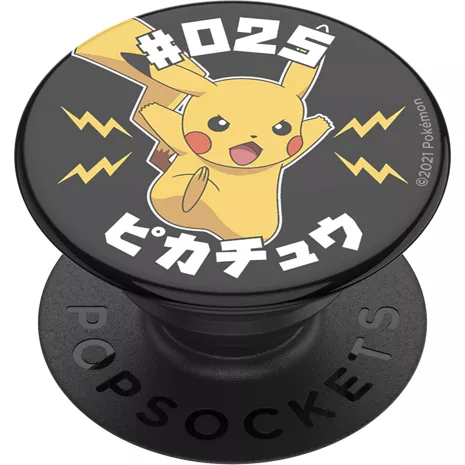
PopSockets PopGrip Pokemon No. 025 Pikachu
Color

Este artículo solo está disponible para Retiro rápido.
Devoluciones gratis dentro de los 30 días.Detalles
Obtenlo rápido
Retiro rápido gratis
Seleccionar una tiendaReseñas
3.8
20 reseñas
33 % de las reseñas recomiendan este producto.
I think it’s a fake not an actual pop socket
Jparhome . 1 year ago
PopSockets Product Expert - 11 months ago
Thank you for your review! We are sorry to hear what happened, and for the inconvenience this may have caused you. To swap a PopGrip, close the grip flat, press down on the top, and twist it 90 degrees to remove the PopTop, then line up and attach a new PopTop by pushing down and twisting 90 degrees again; our PopGrips have swappable tops, allowing you to change the style or design whenever you want. To remove sticky residue please use some rubbing alcohol and gently wipe it off with a cloth or cotton ball. We hope the above instructions were helpful. If they don't fix the issues, please return it to Verizon or contact us at cs@popsockets.com. We'll be happy to assist. (edited)Little short
Steven S. . 2 years ago
PopSockets Originally posted on PopSockets
Características
- Ofrece un agarre firme de tu dispositivo
- Funciona como una práctica base manos libres
- Compatible con la mayoría de los PopSockets PopMounts
- Cambia con facilidad la parte superior para cambiar el estilo
- Se pueden reubicar
- Se fija a la mayoría de los dispositivos y estuches
- Fácil de quitar para cargar de forma inalámbrica
- Se adhiere a la mayoría de las fundas de plástico duro y suave
Especificaciones
- Dimensiones: 1.5 x 0.25-0.86 pulgadas.
- Peso: 0.21 oz
SKU Nº
SKU Nº
PS112207
En la caja
- PopSockets PopGrip Pokemon 025 Pikachu
Reseñas del PopSockets PopGrip Pokémon No. 025 Pikachu
3.8
20 reseñas
33 % de las reseñas recomiendan este producto.
I think it’s a fake not an actual pop socket
Jparhome . 1 year ago
PopSockets Product Expert - 11 months ago
Thank you for your review! We are sorry to hear what happened, and for the inconvenience this may have caused you. To swap a PopGrip, close the grip flat, press down on the top, and twist it 90 degrees to remove the PopTop, then line up and attach a new PopTop by pushing down and twisting 90 degrees again; our PopGrips have swappable tops, allowing you to change the style or design whenever you want. To remove sticky residue please use some rubbing alcohol and gently wipe it off with a cloth or cotton ball. We hope the above instructions were helpful. If they don't fix the issues, please return it to Verizon or contact us at cs@popsockets.com. We'll be happy to assist. (edited)Little short
Steven S. . 2 years ago
PopSockets Originally posted on PopSockets
May the 4th be with you!
Amanda P. . 2 years ago
PopSockets Originally posted on PopSockets
Popgrip
2 years ago
Yellow not Gold
Karen C. . 2 years ago
PopSockets Originally posted on PopSockets
#001
Autumn . 2 years ago
PopSockets Originally posted on PopSockets
Looks good - faux aged-
Angie P. . 2 years ago
PopSockets Originally posted on PopSockets
Pikachu
Fern . 2 years ago
It’s cute but it came messed up
Jillian R. . 2 years ago
PopSockets Originally posted on PopSockets
Cute
Marcy M. . 2 years ago
PopSockets Originally posted on PopSockets
PopSockets PopGrip Pokemon No. 025 Pikachu FAQs
There are no questions, be the first to ask one.